Taxbee | Tax & Accounting Services
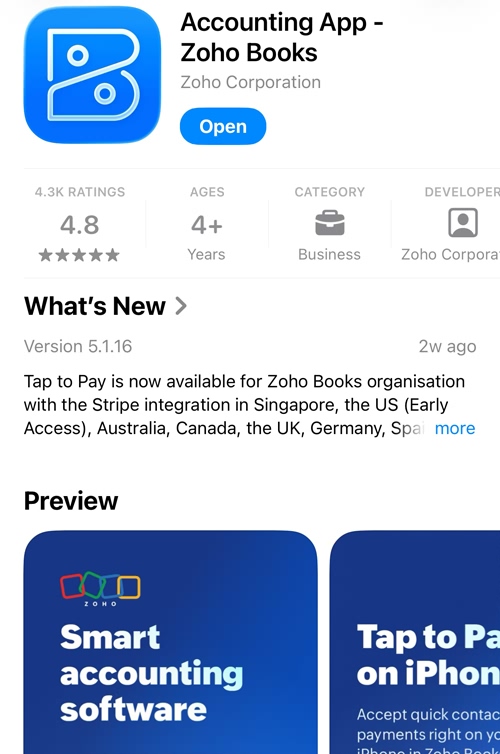
Step 1: Download APP through APP Store or Google Store or Use PC Click here
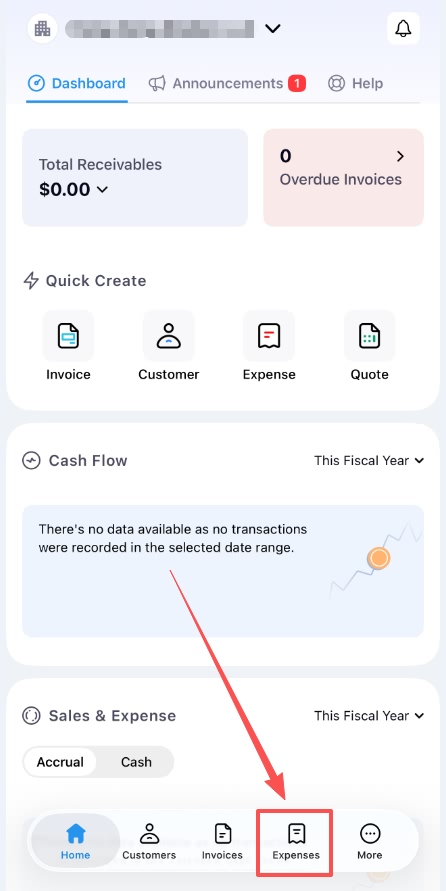
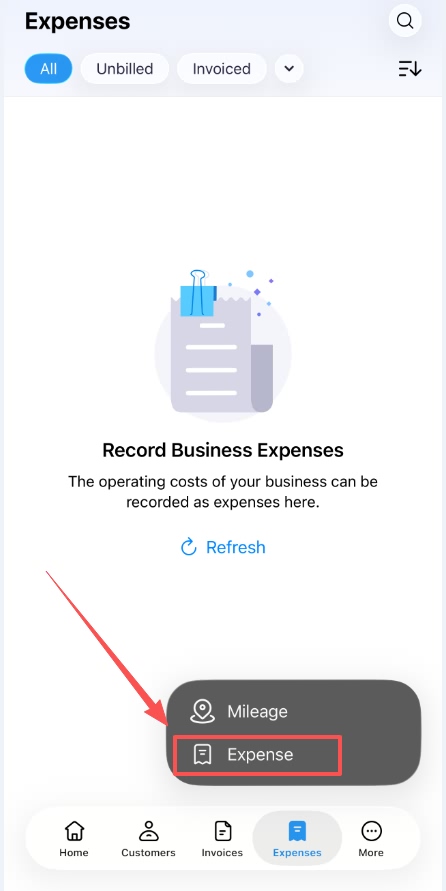
Step 2: After Signing in, click the Expenses icon
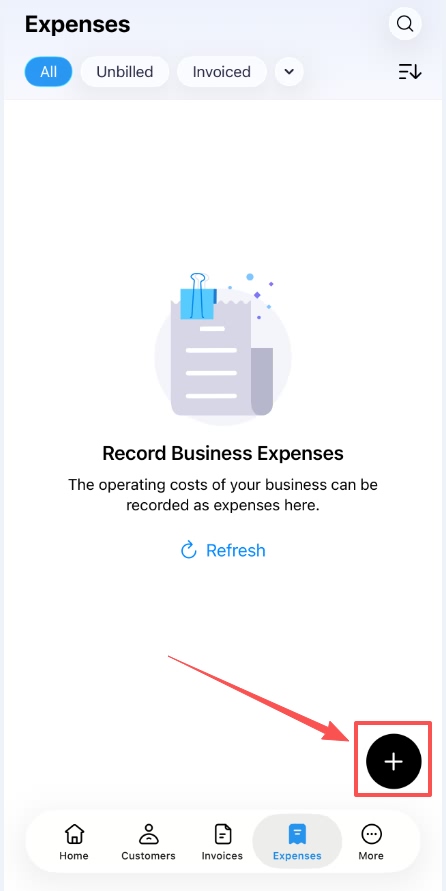
Step 3: click the “+” icon
Step 4: click Expense
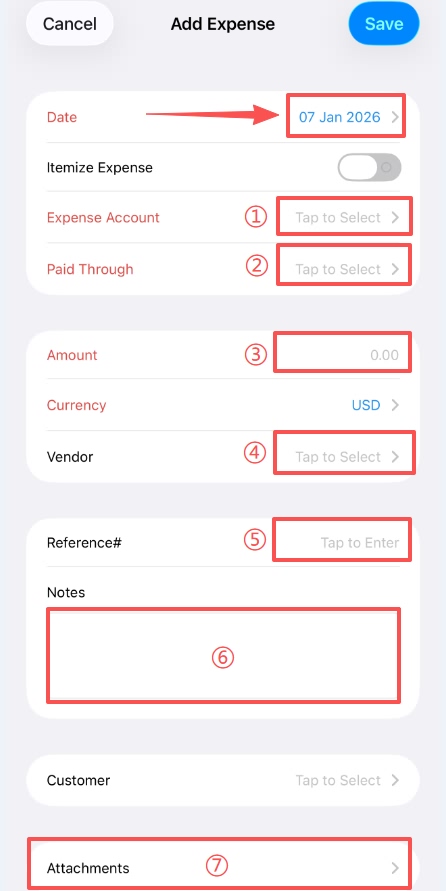
Step 5: Confirm the date,
① Choose the expense category
② Choose the account used to pay
③ Enter amount
④ and ⑤ you may only select one. If the vendor is not listed, please choose “Reference” enter the vendor information manually.
⑥ Note (Optional)
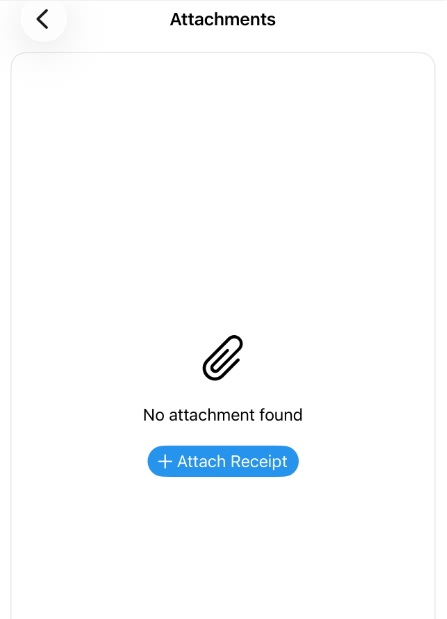
⑦ Click to attach a receipt or invoice image (Highly recommended)
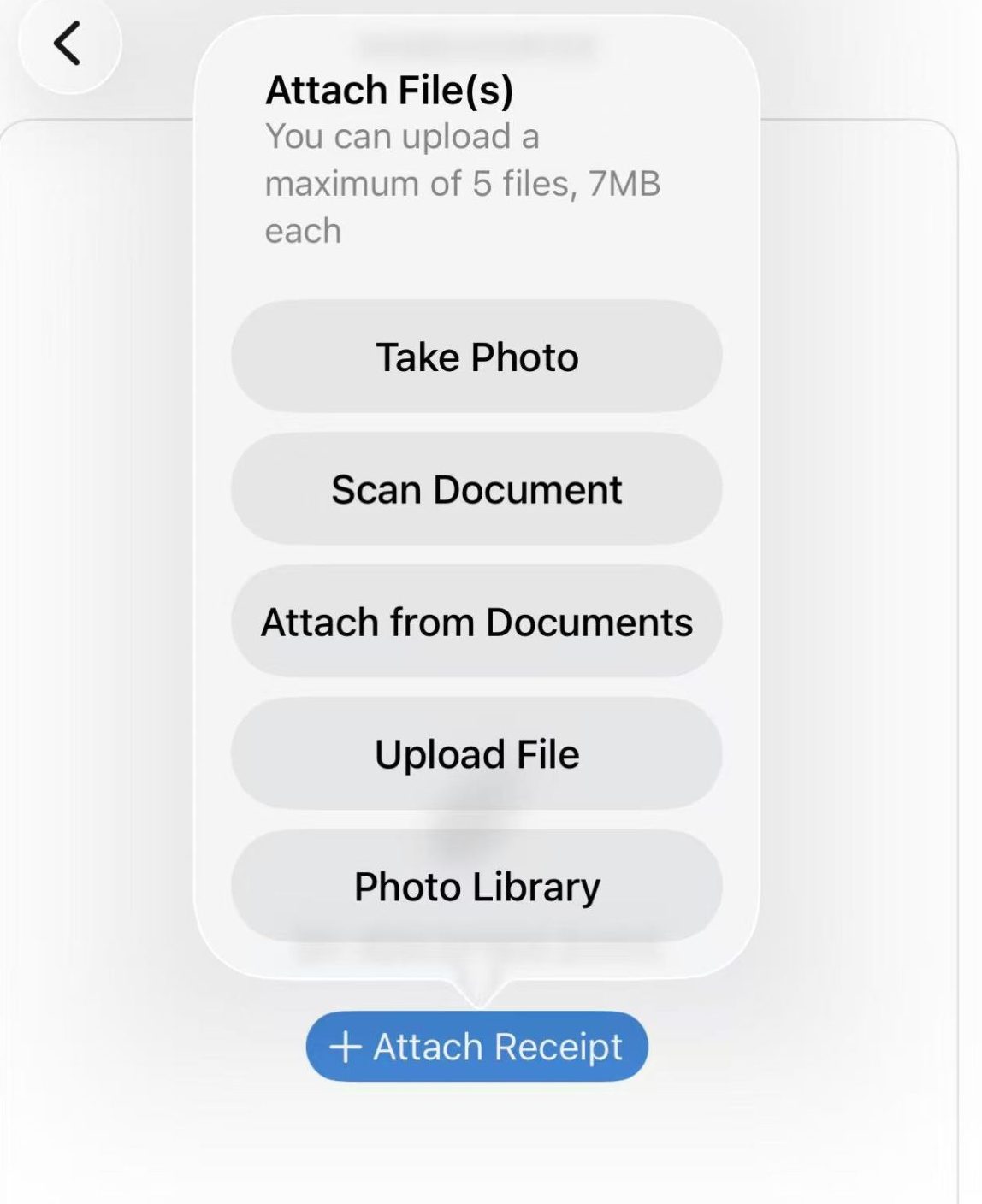
Please select the option that best captures and clearly shows your receipt.
Remember to save after attaching the image.